Search what was said in your calls
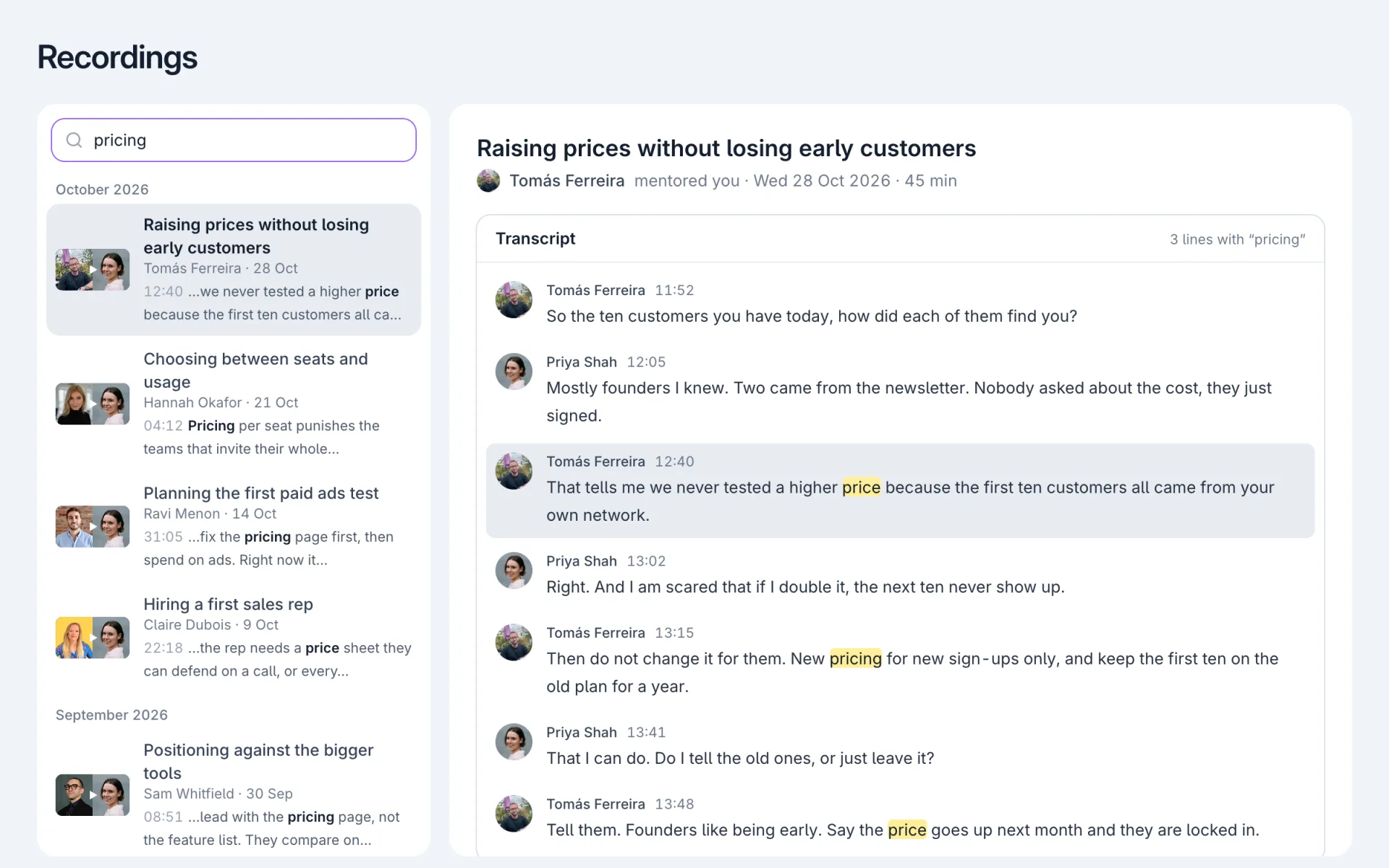
Type a word in the search on Recordings. Calls where someone said it show up with the line and the time.
Click one and the recording opens at that line. The player jumps to that time, and every match in the transcript is marked in yellow.
Titles, people and chapters still filter as you type, as before.
The advice you come back for is in what people said, and the search could not see it. It only read titles, names and chapters.
So a call where a mentor told you how to price came up only if pricing was in the title.
Find something a mentor said. Search your recordings