Team sessions can now stay private, even from the team owner
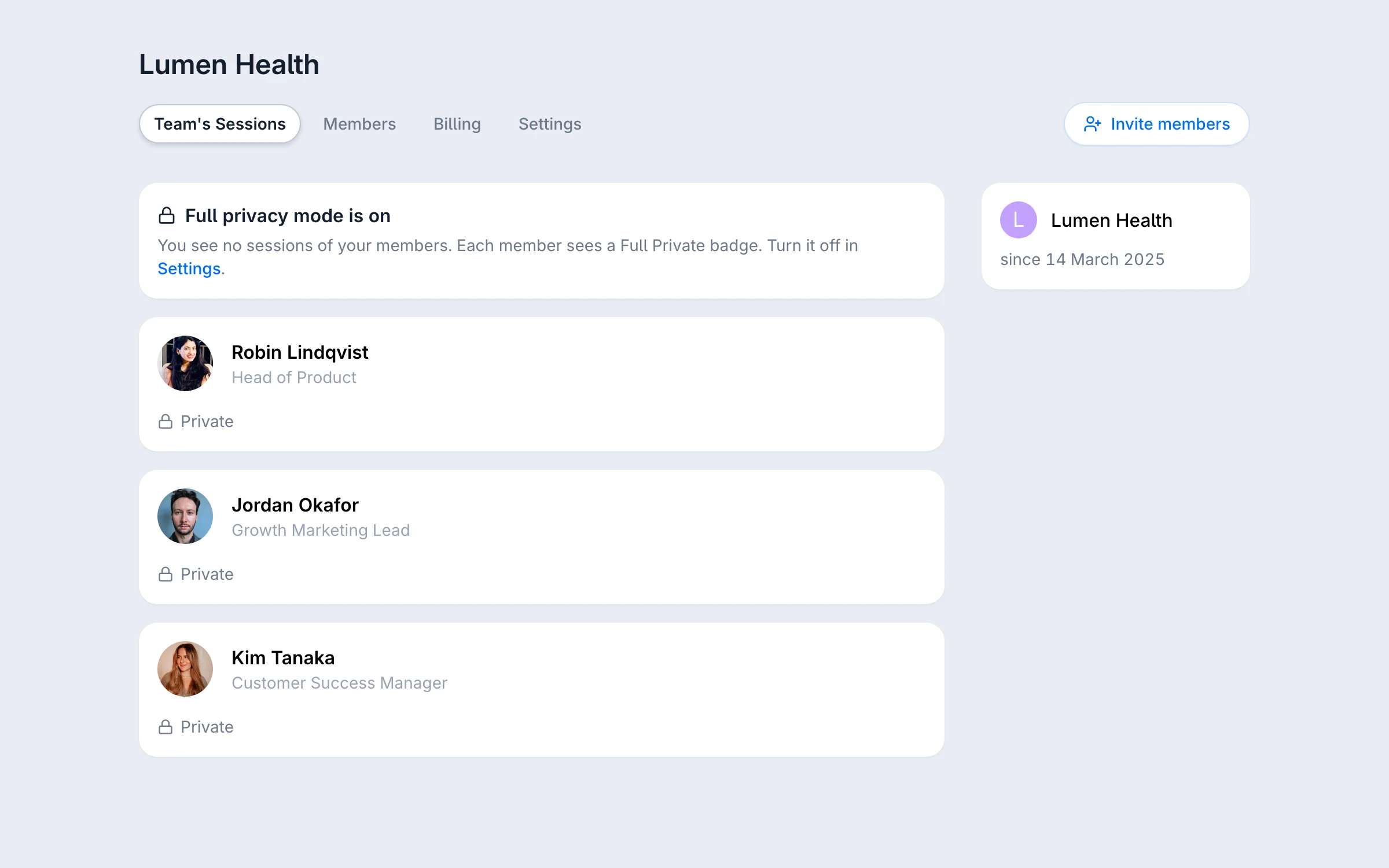
Team owners have a switch in Team, Settings: Full privacy mode.
With it on, the owner no longer sees:
- Which mentors each member talks to, and when
- The next session time
- Each member's session count
- The team's session totals
None of it reaches the owner's browser. They still see who is on the team and seat use.
Each member sees a Full Private badge on their Sessions page, in billing settings and on their team invitation.
A team customer asked for this. Their company, like many, keeps mentoring confidential.
Until now the owner saw which mentor each member talked to, and when. That was enough to monitor people, so those companies could not use a team plan.
Run a team on GrowthMentor?. Open team settings